New in Invoice Harbour: funding and markup checks at approval.
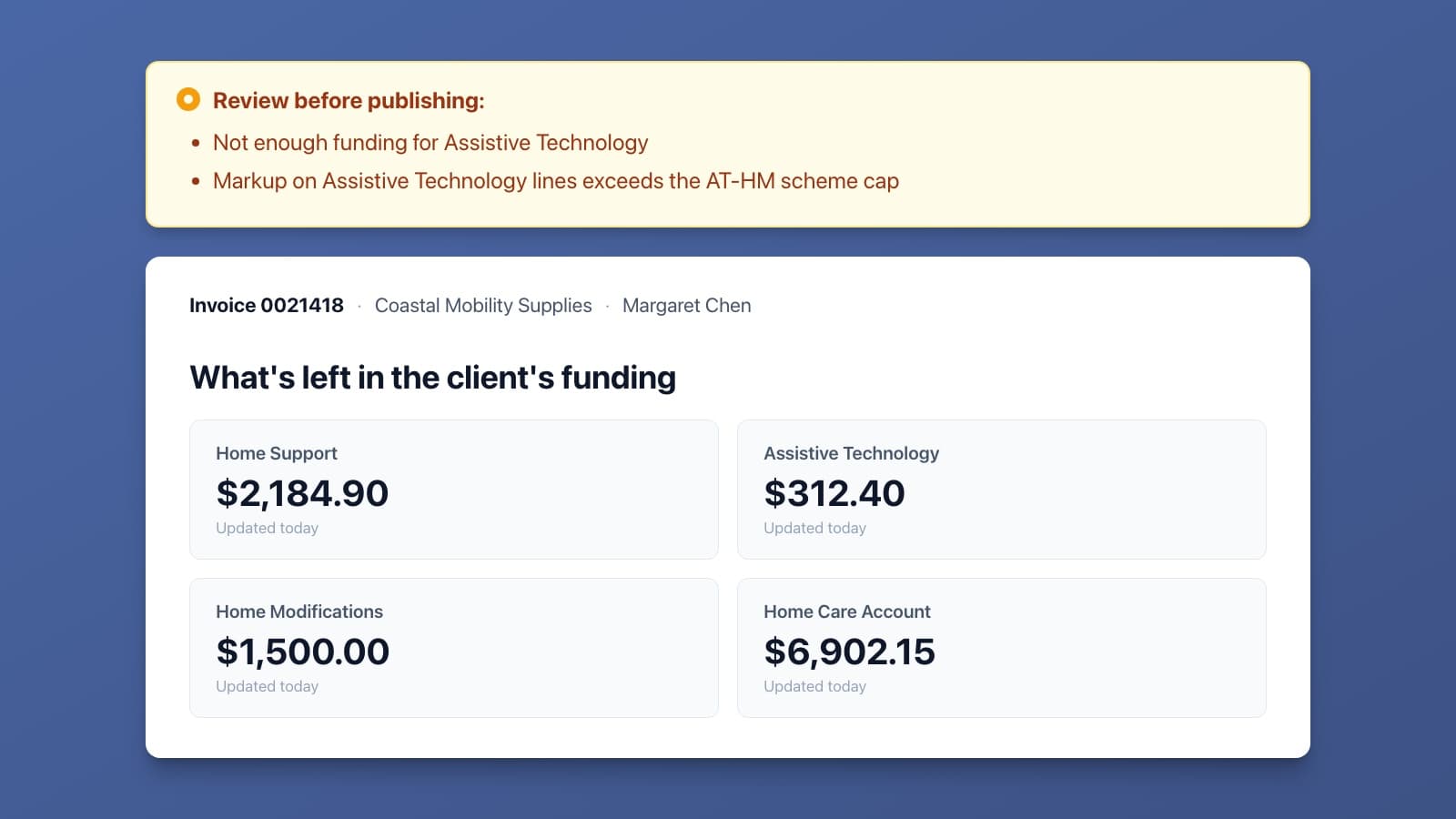
Every client-billable invoice is now checked against the client's projected balance in each Support at Home pool it draws on: Home Support, Assistive Technology, Home Modifications, and the Home Care Account where one exists.
Assistive Technology and Home Modifications lines are also checked against the AT-HM Scheme markup cap: 10% or $500 for AT, 15% or $1,500 for Home Modifications, whichever is lower.
If a check fails, a warning is shown at the top of the invoice before it is published. Both checks are advisory only, and there is nothing to set up. The client budgets and service margins pages show where the balances and the markup sit on the invoice, and Support at Home invoice processing shows how both checks fit with the rest of the program.
Questions you might have
Which balances does the funding check use? The same projected balances shown on the invoice, pulled from the care platform: Home Support, Assistive Technology, Home Modifications, and the Home Care Account for clients who transitioned with unspent Home Care Package funds. The check waits until those balances have loaded, so it never runs against a partial set.
How is each line assigned to a funding category? By its service code. Lines with no service code, or a code that is not in the catalogue, are left out of the check.
What happens when a category is short but the Home Care Account has funds? The shortfall from each category is added up and compared to the Home Care Account. If the account covers the combined shortfall, no warning. If it does not, you see one warning for each category that is short, because the account cannot be split between them.
Are purchase orders counted twice? No. Purchase orders have already been deducted from the projected balance, so a line matched to a purchase order only adds to the spend where it exceeds its order. If it comes in at or under the order, it adds nothing.
I matched every line to a purchase order. Why did it still warn? The category was already in deficit before this invoice. A deficit is owed on top of the invoice, so the warning shows even when the invoice itself adds no new spend.
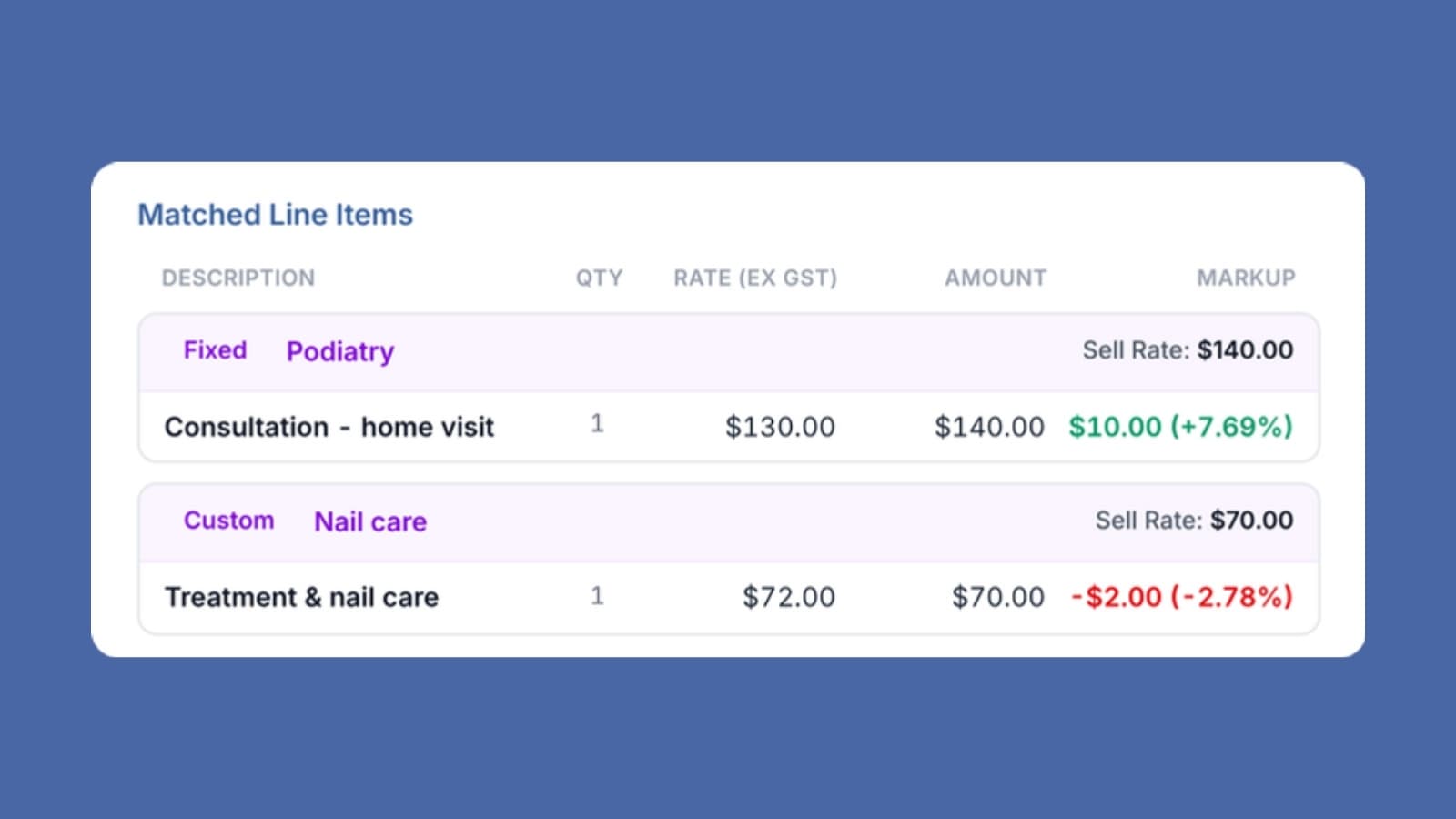
How is markup calculated? For each of Assistive Technology and Home Modifications, the cost and the markup are totalled across every line in that category on the invoice, both ex-GST. The total markup is compared to the lower of the percentage cap and the dollar cap. Lines with a missing cost or sell price are left out rather than treated as a breach.
Why per invoice rather than per line? Suppliers often split one item into parts, or bundle installation with the item. The scheme caps the markup on the item or bundle, so the invoice total is the closer match.
What should I do when I see a warning? Check it before you publish. For a funding warning, confirm the client's balance with the care manager and whether the spend is expected. For a markup warning, check the supplier's cost and your sell price on the lines named. If the invoice is right, publish it. If it is not, hold it and follow up. The warning does not block publishing, so the decision stays with you.
If there are other checks you would find useful at approval time, let us know.
Get the Invoice Harbour Update
New features, customer stories and Support at Home changes that affect supplier invoices.
Unsubscribe any time. See our privacy policy.