Invoice Harbour now works with CareVision. If you use CareVision, Invoice Harbour can now help you manage your supplier invoices, from your email inbox through to the client's booking and your finance system.
CareVision providers have been asking for this, so we built it.
Why it matters
Every supplier invoice touches two places. The client's booking needs to reflect what was actually delivered and billed, and the bill needs to go to your finance system so the supplier gets paid.
Doing both by hand, for every invoice and every client, adds up. It is double handling, and every manual step is a chance to get a date, an amount or a service code wrong.
How it works
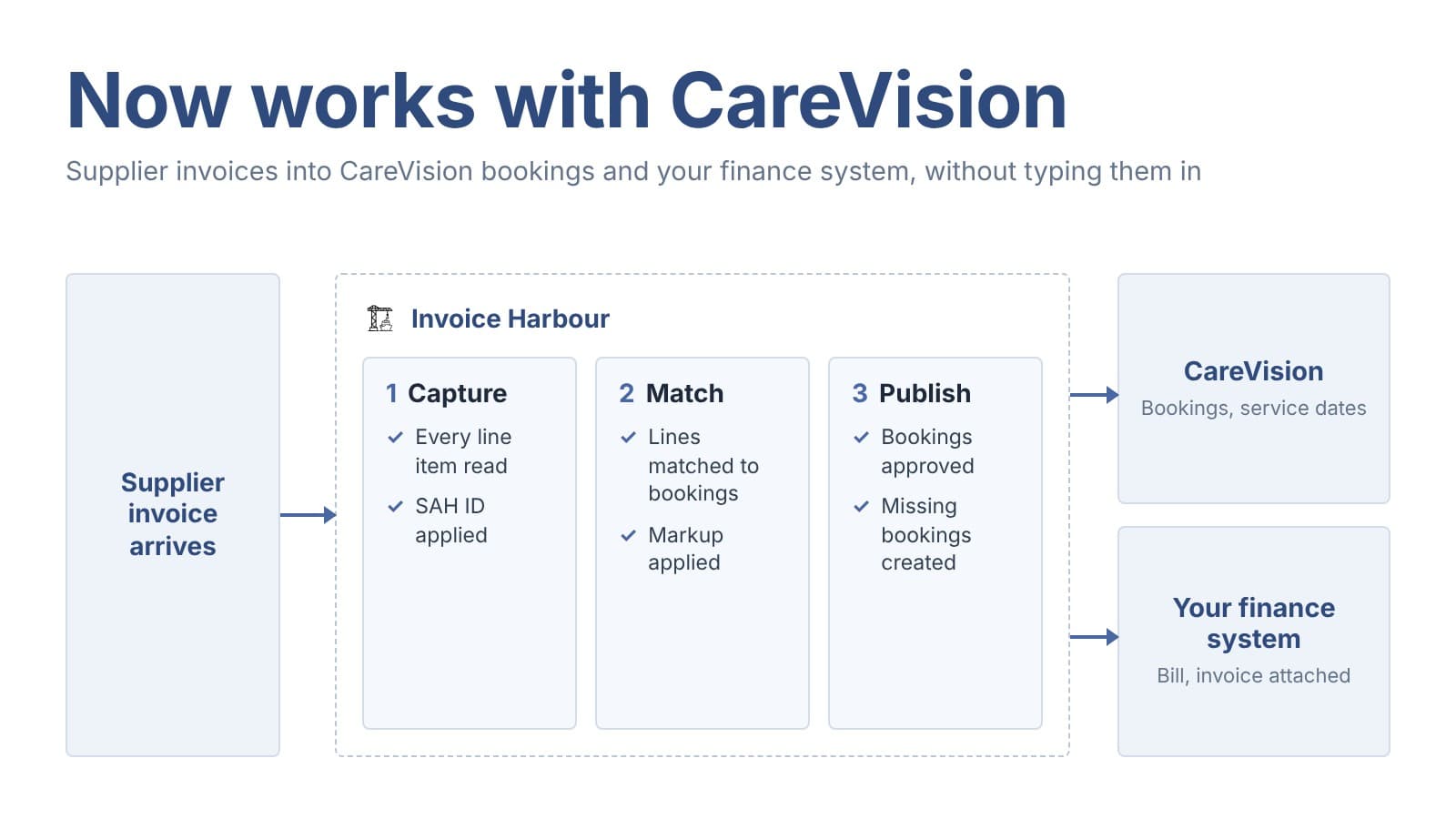
When an invoice arrives, Invoice Harbour extracts the supplier, the client and every line item: what was delivered, when, how many, and for how much.
Each line has a Support at Home ID applied based on the supplier.
Invoice Harbour finds all of the client's relevant bookings in CareVision and lets you match each line to the booking it belongs to.
If a line has no booking to match, Invoice Harbour creates one in CareVision on the line's service date when you publish.
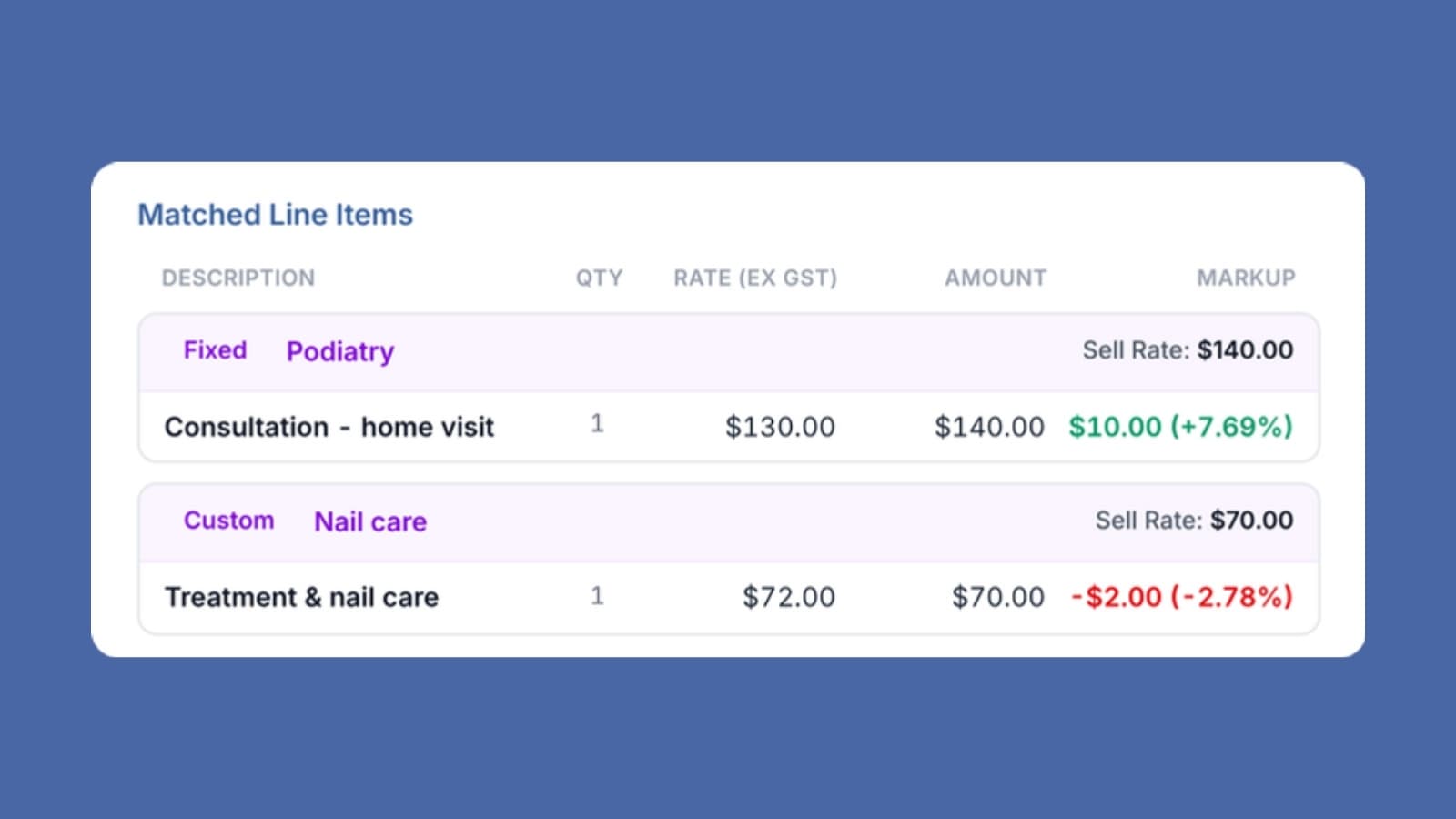
For each line you see both the supplier's amount and what you will charge the client, with your markup applied.
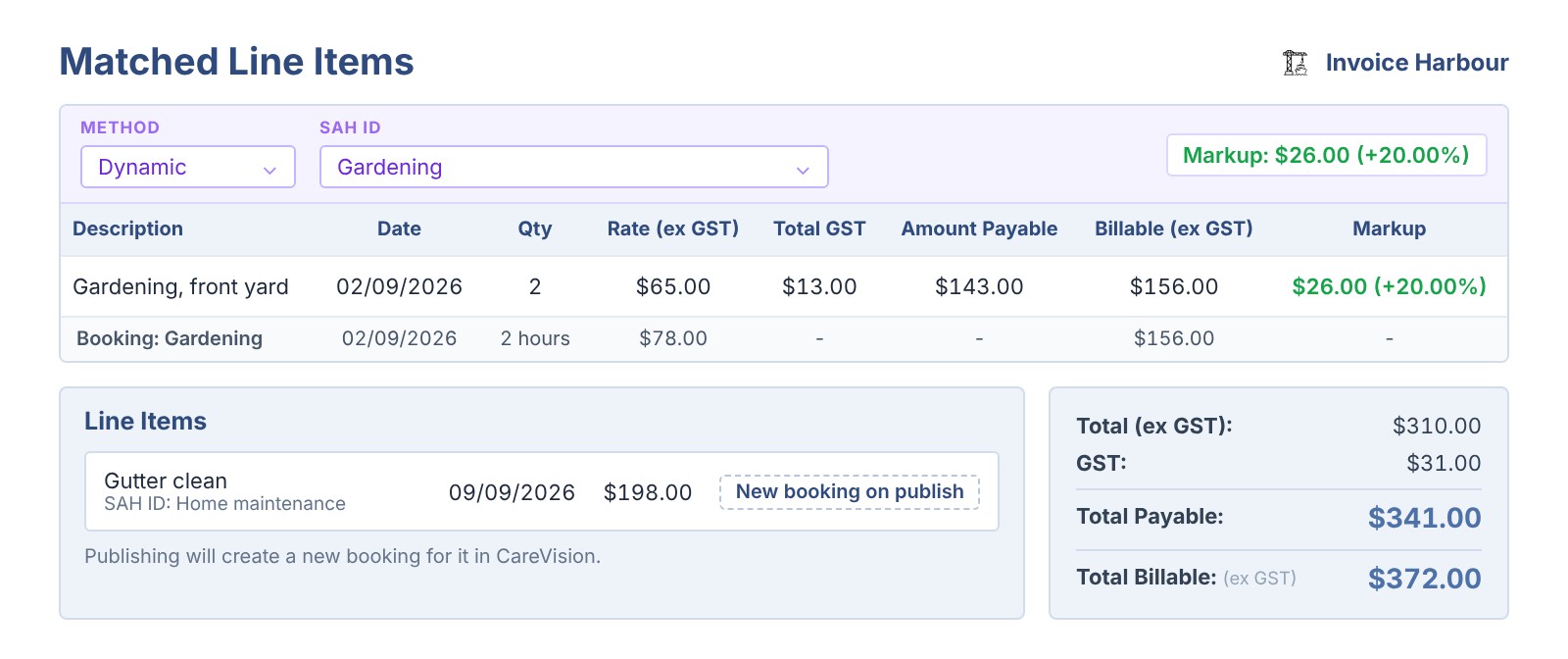
With one approval, each booking in CareVision is updated with what was actually billed, moved to the real service date and approved. At the same time the bill goes to your finance system with the supplier's invoice attached as the audit record.
What your team no longer does by hand
- Update each booking with the actual service cost
- Move bookings to the date the service was delivered
- Add bookings for unplanned services a supplier has billed
- Enter the same invoice again in your finance system
- Work out the markup on every line
Using CareVision?
If you use CareVision, book a demo and we will walk you through it.