Why
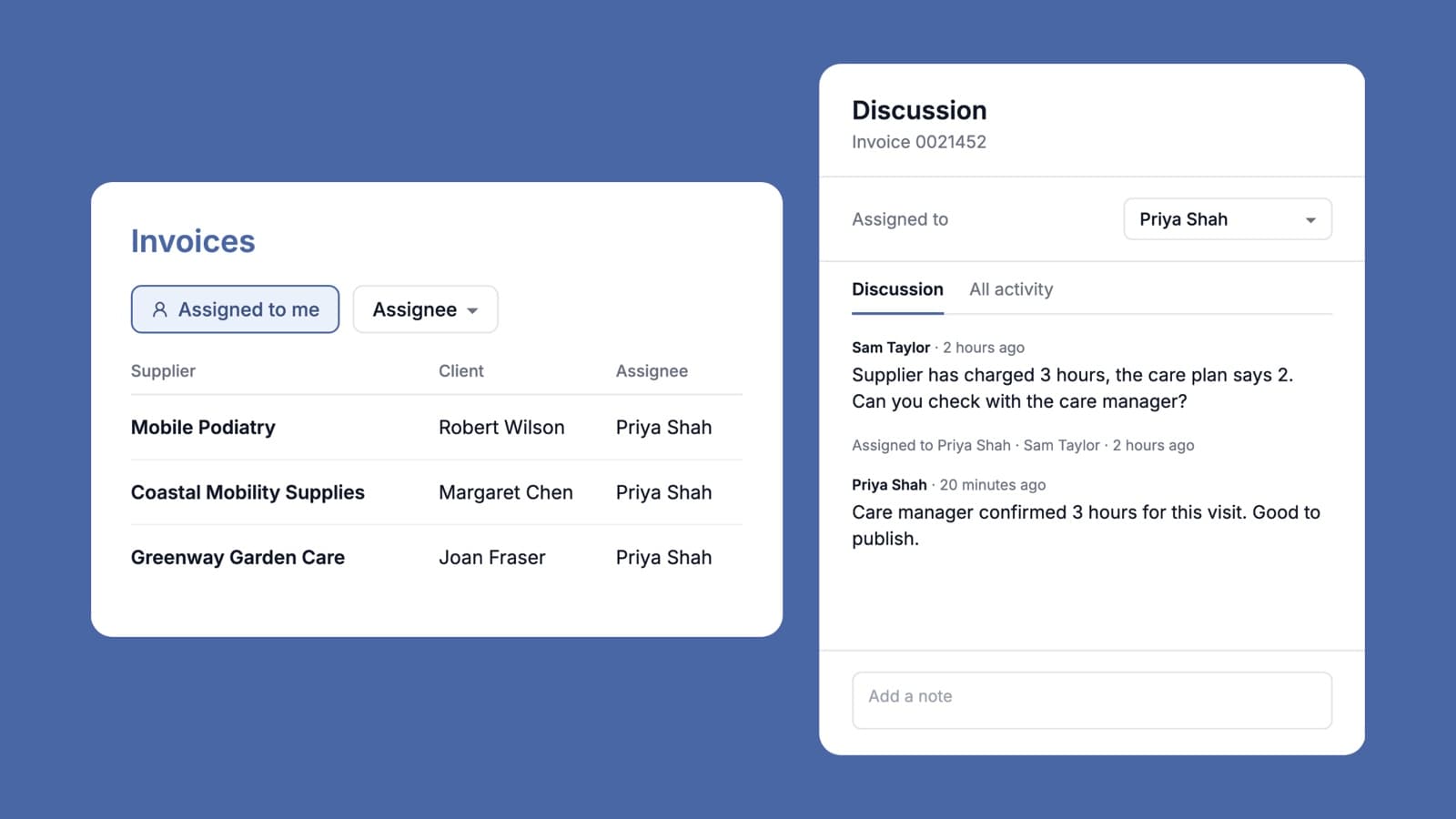
Some invoices need someone else's input before you can approve them. A care partner has to check that a service was delivered. A coordinator has to confirm a rate. You assign the invoice to that person so the question has a home, and then it sits on their list.
Nobody's being lazy. The invoice just isn't in front of them while they get on with the rest of the day. It stays there until someone remembers to open it. In the meantime someone on your team ends up chasing, and the supplier waits to be paid.
What Invoice Harbour does
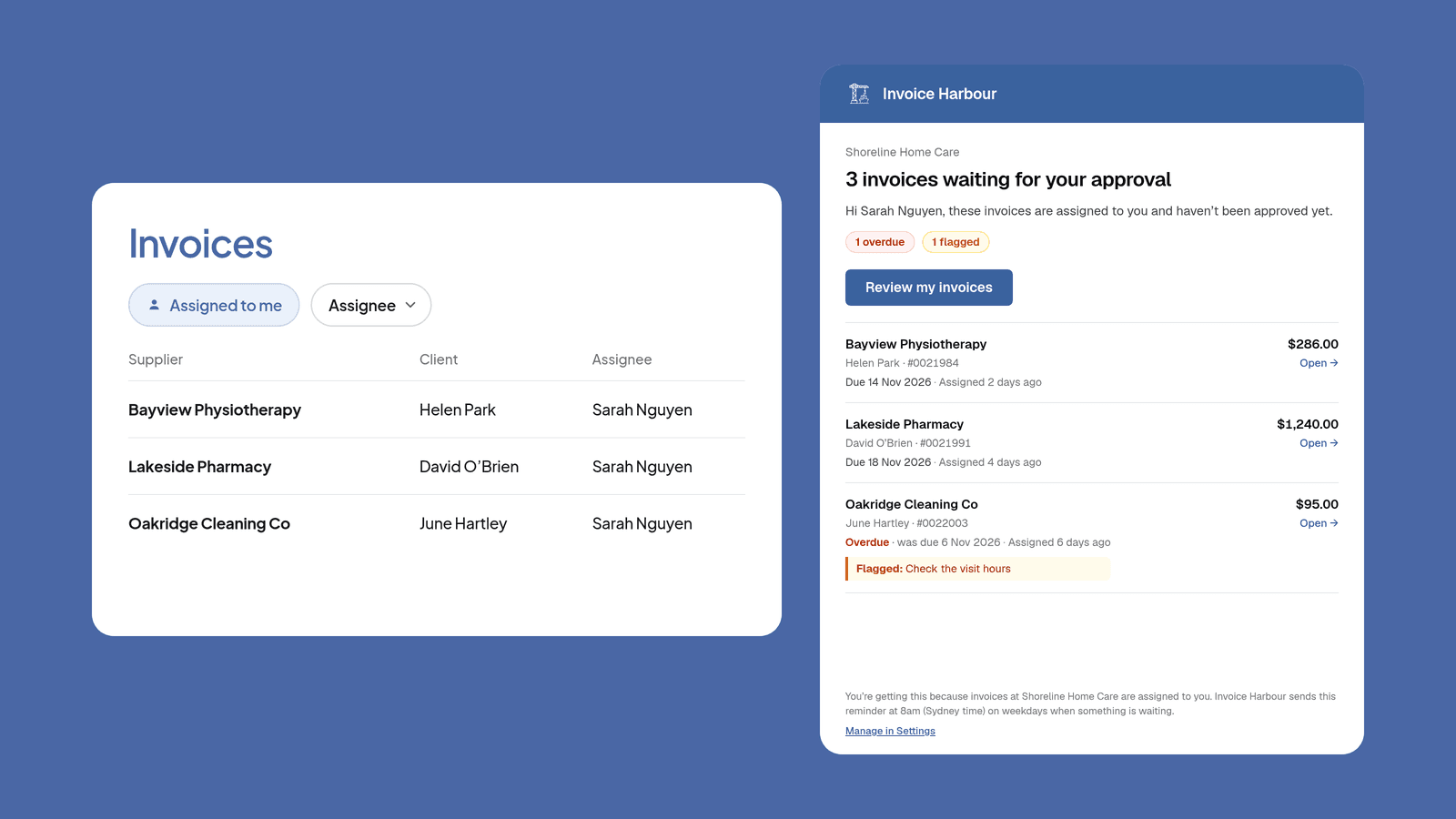
Every weekday morning, Invoice Harbour emails you the invoices waiting on you, so you know which ones need your action. You do not have to remember to go looking, and nobody has to chase you for the list. One click takes you to Assigned to me, where each invoice and its notes are ready.
It works with assigning and notes. You assign an invoice to a care partner, or to whoever needs to answer, and you leave a note about what you need. They see that invoice in their next morning email, and the note is there when they open it. Assign invoices to your team and record notes against them covers how assigning and notes work.
Once an invoice is approved, it drops off. The next morning email only includes the invoices still waiting on you, so the list gets shorter as people work through it.
Questions you might have
Can I turn it off? Yes. The morning email is on by default, so your team has it without any setup. If you would rather not get it, you can turn it off in Settings.
What's in it? Only the invoices still waiting on you. When an invoice is approved, it drops off, and it is not in the next morning's email.
Do I get an email every time something's assigned? No. You get one email each weekday morning. It has the invoices still waiting on you. An invoice assigned during the day shows up in the next morning's email.
Does everyone on my team get it? Anyone with invoices assigned to them. Assign one to a care partner and it is in their morning email. Assign one to yourself and it is in yours.
If there is anything else that would help your team keep on top of invoices waiting on someone, please let us know.
Get the Invoice Harbour Update
New features, customer stories and Support at Home changes that affect supplier invoices.
Unsubscribe any time. See our privacy policy.